Many terminals.
One place for the work.
Work Stack + StackBite
Losing track of the work between agent sessions? Keep tasks and progress in Work Stack. Manage your CLI agent terminals in StackBite.
A Windows-focused TUI workflow · integrated execution is in development.
When you return,
keep the next step ready.
Work Stack connects goals, tasks and progress records. Check status and priority, then record what changed, what comes next and what is blocking the work.
Follow the context of one task.
Captured from the real Work Stack TUI’s built-in demo. Explore views and example actions. The browser does not save changes or run your work.
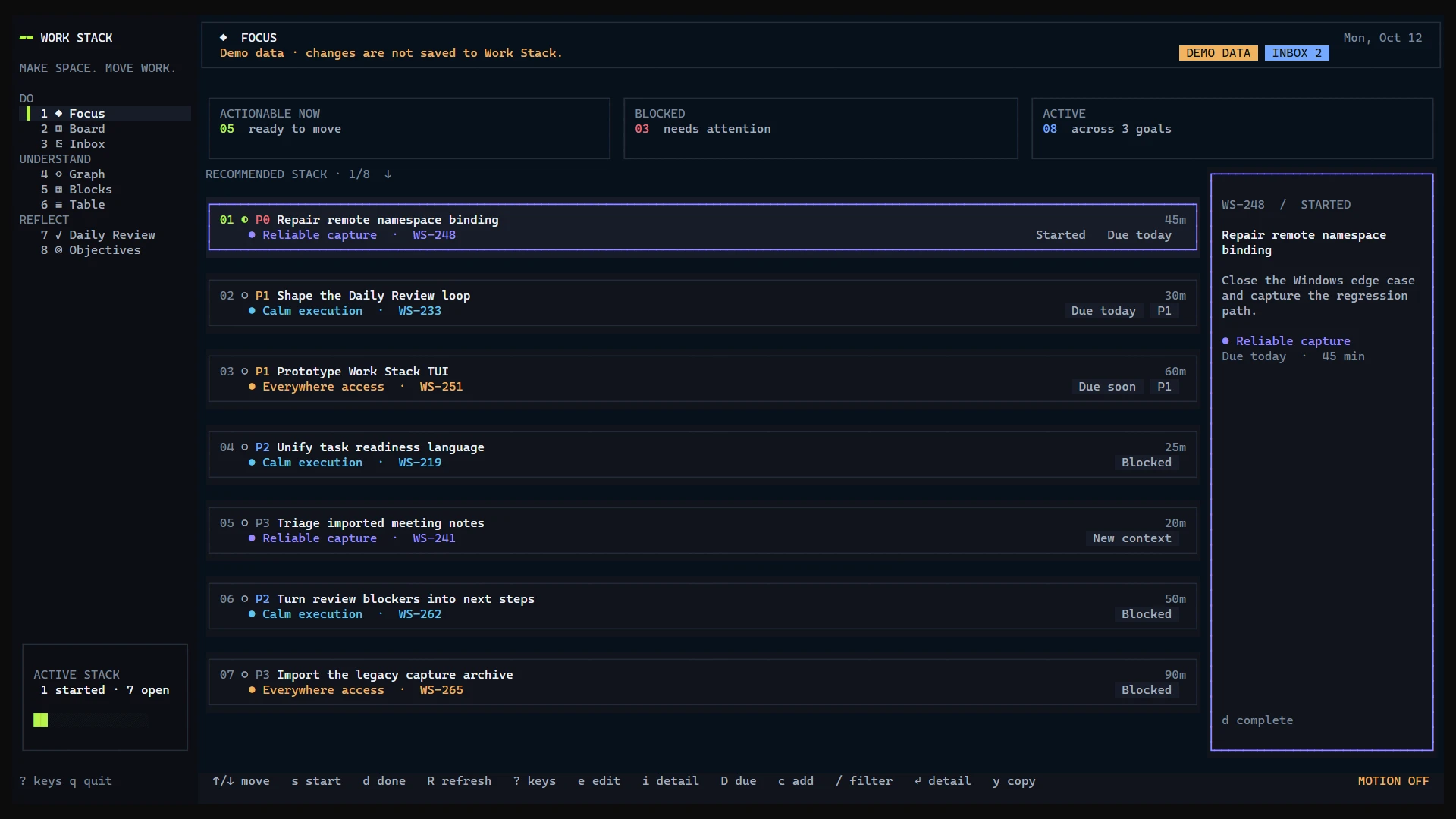
This walkthrough switches between recorded example screens. Task detail uses sample task WS-248. In the terminal, press 1–8 to switch views and Enter to open a task.
Read the selected screen as text
- Focus · Board · Inbox · Graph · Blocks · Table · Daily Review · Objectives
- Goals, tasks and dependencies
- Details · Steps · Log · Resume · Agent · Sources
Give your agent terminals
a shared workspace.
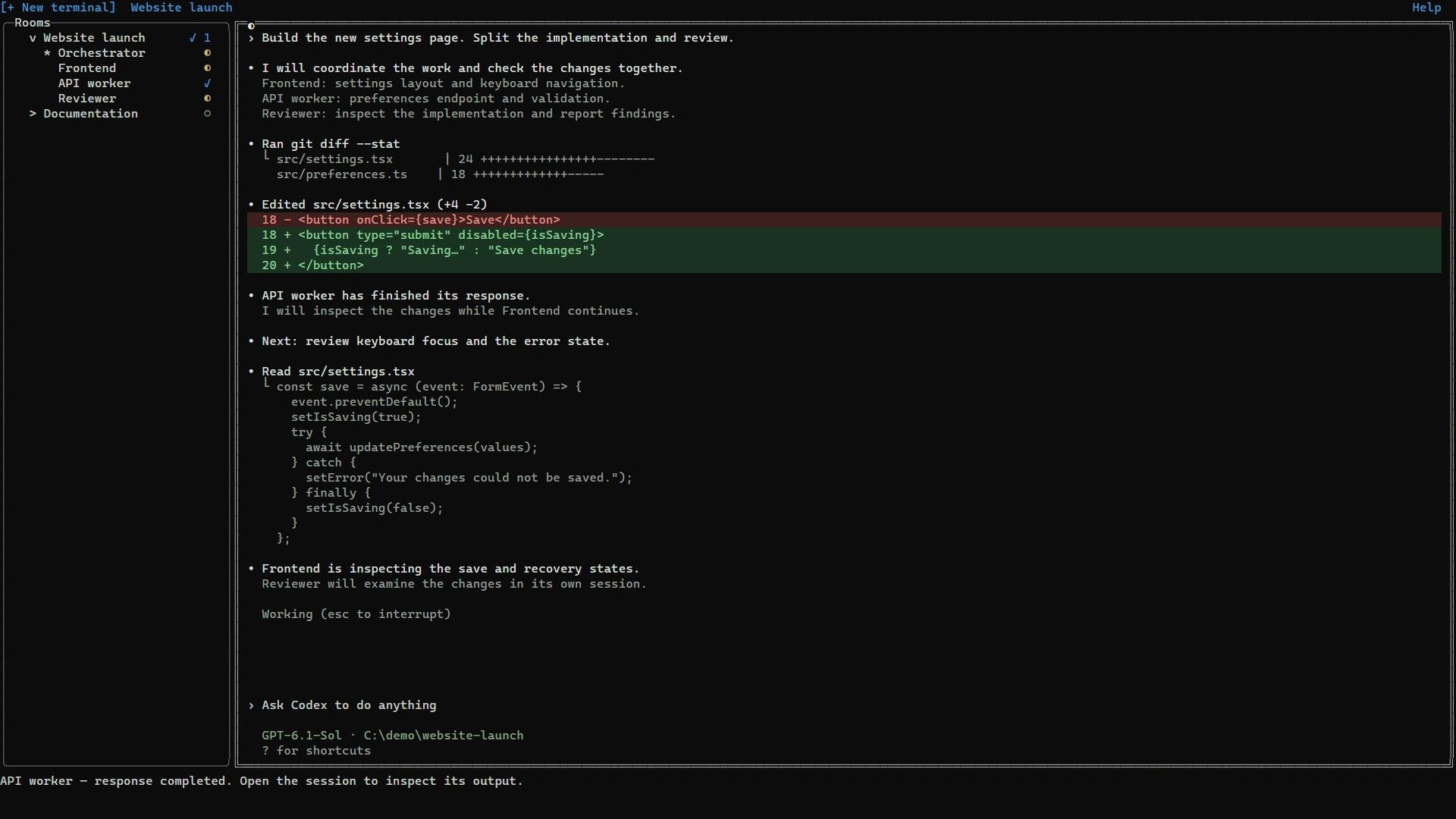
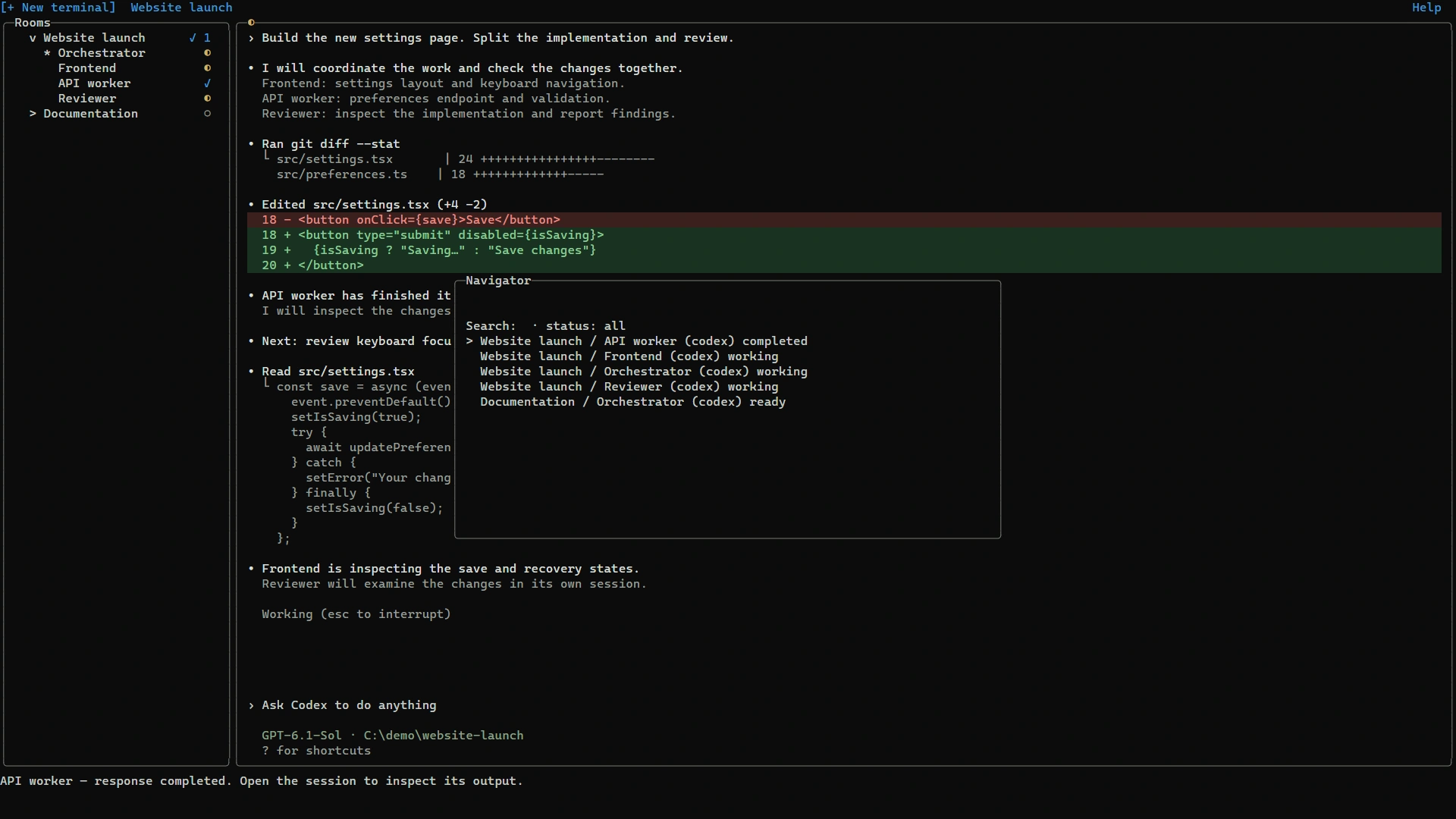
Find the Orchestrator and workers in StackBite’s Room list. Check response-completion notifications, then open a worker from Navigator to inspect its actual CLI session.
Try the workspace before installing.
An interactive browser demo using the actual UI structure and fictional data. It does not run AI agents or change files.
Type codex or claude in the open shell, then press Enter. Only the example screen changes; no command is executed.
A 1920 × 1080 mockup. On small screens, use the session selector or open the full-screen workspace.
Read the selected sample output
Esc: close
Inspect the original example images
Find a session
Keep the Orchestrator and workers together under a Room.
Focus on the work
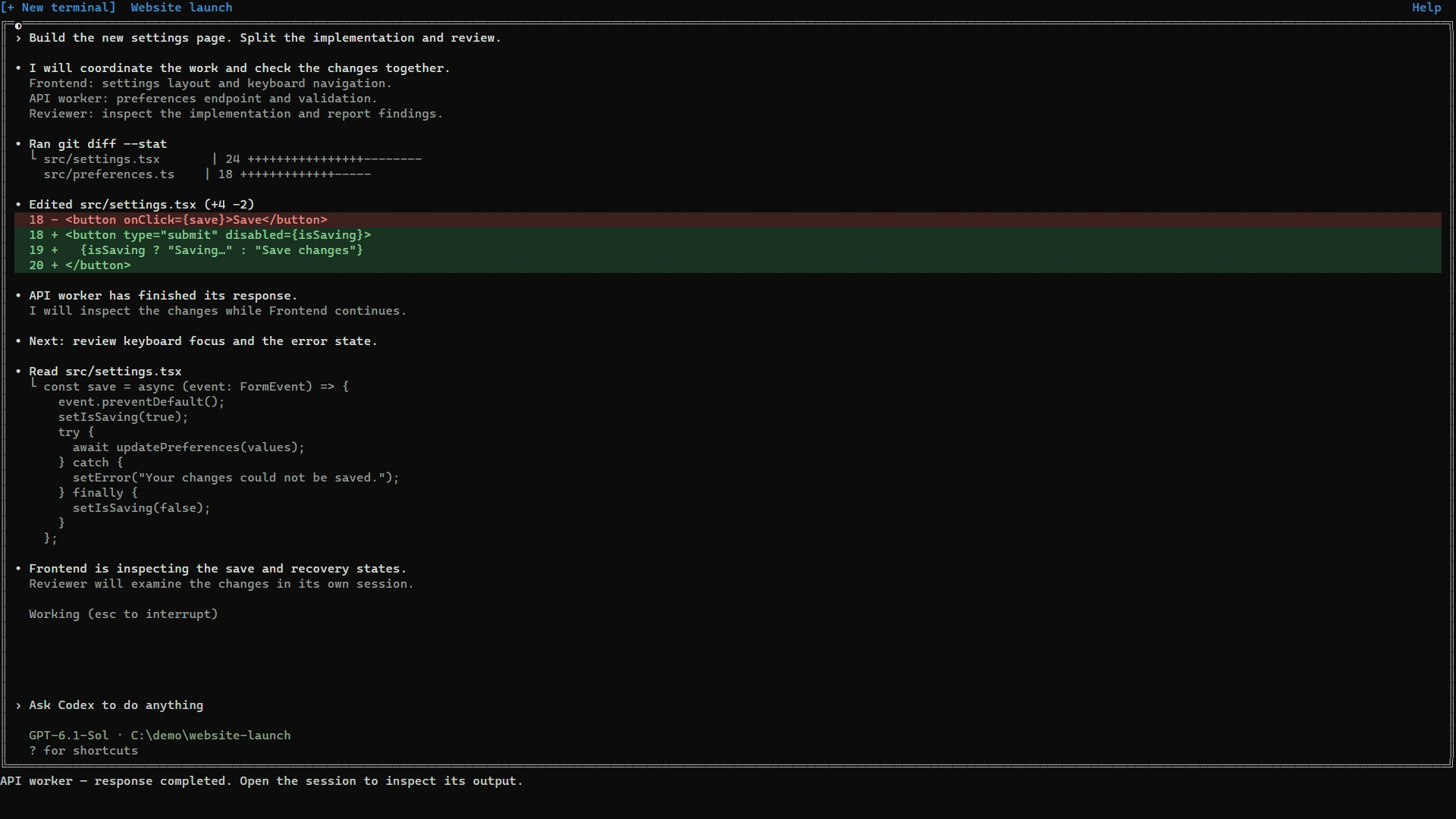
Keep your installed CLI’s interface. Alt + Shift + Z expands the terminal.
Inspect the response
Follow a response notification to its session and review the output.
- Orchestrator and workers grouped by Room
- Response-completion notifications · Navigator
- Actual CLI sessions · terminal expansion
Plan. Run.
Leave a next step.
Today, use the tools together and connect tasks to terminals yourself. An integrated experience that joins these steps is being built.
Keep context in Work Stack
Choose a task and read its recent progress and next step.
Work in StackBite
Set up a Room and Seats, then work with your installed CLI agents.
Record next steps in Work Stack
Save what changed, what comes next and what is blocked, or ask an agent to record it.
Available today
The individual TUIs, task and progress management, and Room/Seat terminal management.
What comes next
An integrated task-to-team-to-results workflow. Separate remote sandboxes for agents are being prepared for a later integration.
Start in your
own terminal.
Try the individual releases first. Check the release pages for Windows setup instructions and system requirements.
StackBite
An execution tool for managing multiple CLI agent terminals.
StackBite releasesFree releases · open-sourcing the core is planned.
How do AI accounts and usage costs work?
Install and sign in to your chosen CLI agents separately. Each provider’s subscription or API terms and costs apply. An integrated plan including remote sandbox costs has not been set.
Building with several agents?
Help shape the workflow.
If you use CLI agents on Windows and struggle to keep tasks and sessions connected, try the tools and share what gets in your way. Installation friction and real workflow problems will guide what is built next.
Tell me your OS, the agents you use and your biggest workflow problem.
Connect on LinkedIn